01
A rate changed — history moved
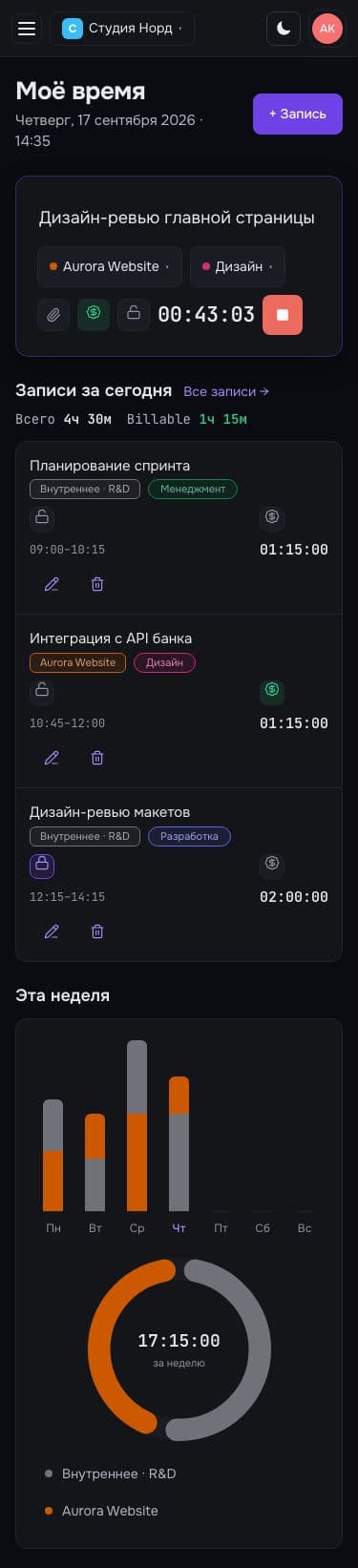
In a spreadsheet, a new rate rewrites old months. In EraTrack a rate is effective from a date: the past stays true.
Time tracker with project profitability
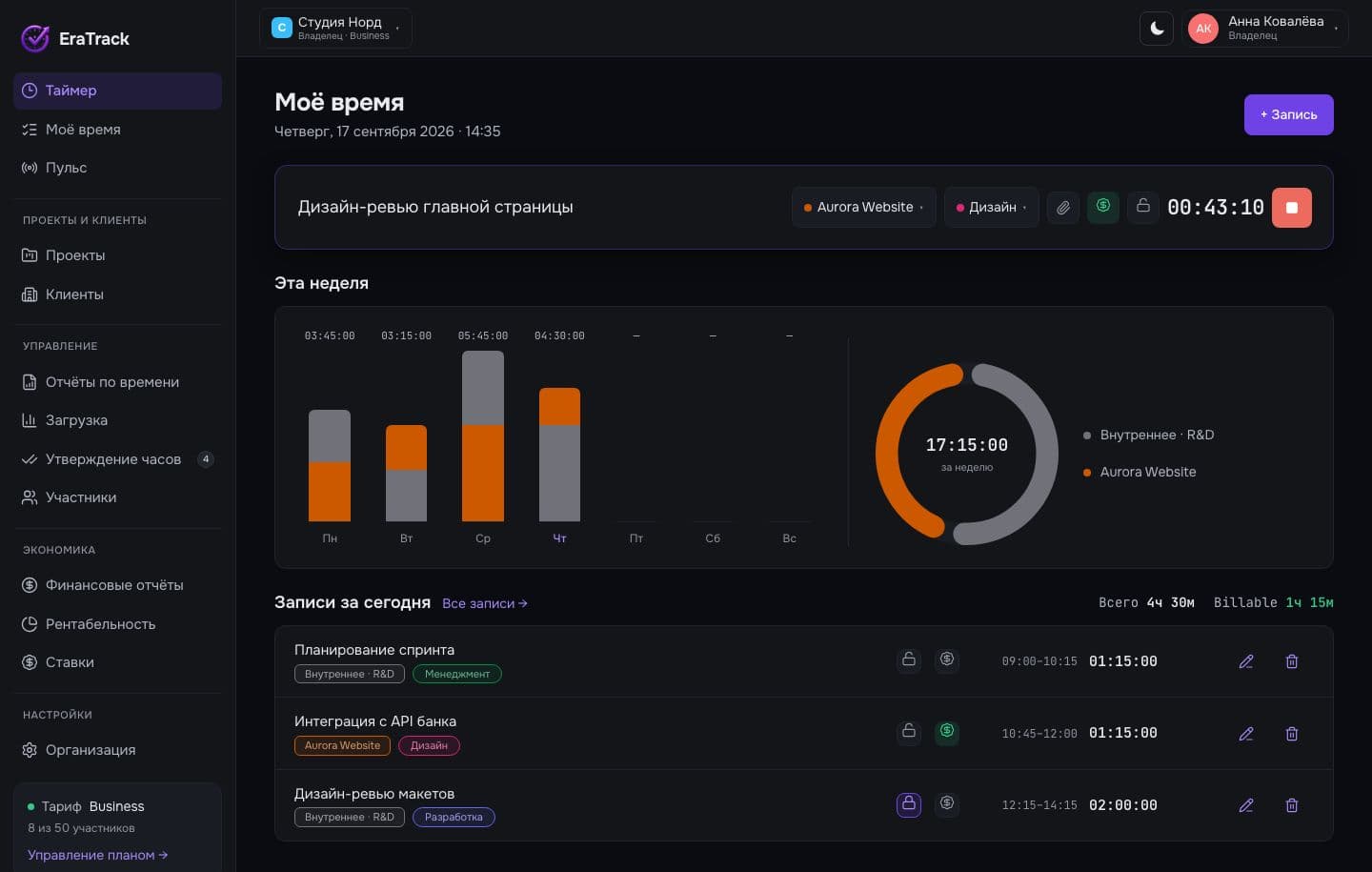
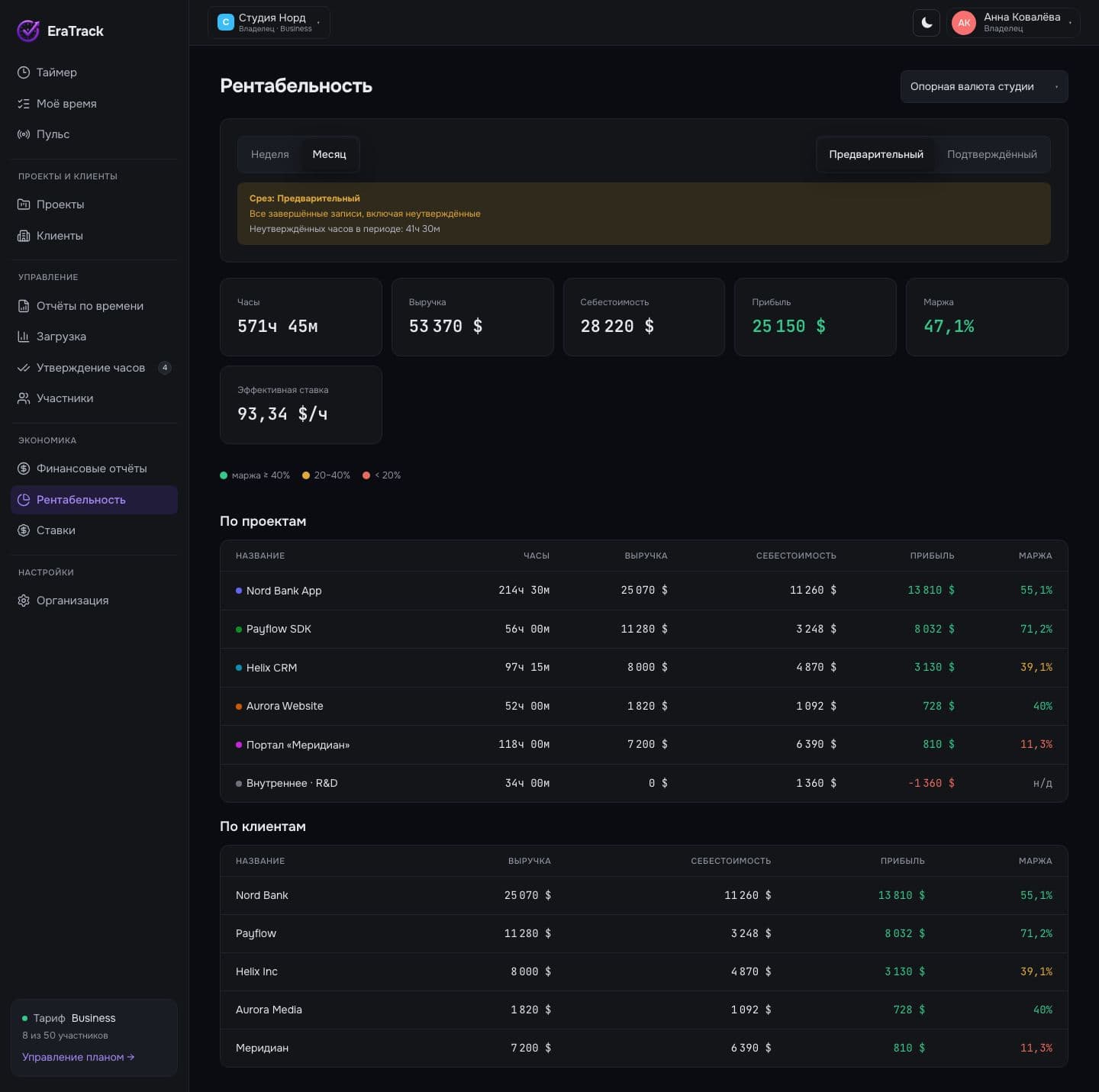
EraTrack counts more than time. Dated rates, currencies and project terms add up to revenue, cost, profit and margin — for every project and client.
Solo is free forever. No card required.
Problem → solution
01
In a spreadsheet, a new rate rewrites old months. In EraTrack a rate is effective from a date: the past stays true.
02
Clients pay in $, €, ₽, Br, ¥ and ₴. Everything rolls up into the studio’s base currency at the rate on that date.
03
Project profit is visible every day, while it can still be saved. Preliminary and approved views, side by side.
Margin thresholds as in the product: ≥ 40% green, 20–40% yellow, < 20% red.
Try it
Move the date of the new rate — only the months after it are recalculated. Everything before stays as it was.
| Month | Hours | Rate | Cost |
|---|---|---|---|
| January | 96 h | $80.00 | $7,680.00 |
| February | 104 h | $80.00 | $8,320.00 |
| March | 88 h | $80.00 | $7,040.00 |
| April | 120 h | $80.00 | $9,600.00 |
| May | 112 h | $80.00 | $8,960.00 |
| June | 96 h | $80.00 | $7,680.00 |
| July | 80 h | $95.00 | $7,600.00 |
| August | 104 h | $95.00 | $9,880.00 |
| September | 118 h | $95.00 | $11,210.00 |
| Months untouched: 6 | $77,970.00 | ||
Who sees what
For managers and employees money blocks are not rendered at all — not hidden, not dashed out.
Profit and margin by project and client, team load, plan.
Sees money
Team pulse
Polled every 10–30 seconds. A private task shows colleagues that someone is working, not what on.
updated just now
Comparison
| Feature | Spreadsheet | Plain tracker | EraTrack |
|---|---|---|---|
| One-row timer | no | yes | yes |
| Rates with an effective date | partly / by hand | no | yes |
| Multiple currencies, dated FX | partly / by hand | no | yes |
| Profitability by project and client | partly / by hand | no | yes |
| Roles and the money divide | no | partly / by hand | yes |
| Timesheet approval | no | partly / by hand | yes |
| Team pulse | no | partly / by hand | yes |
yes partly / by hand no
 Slack
Slack Jira
Jira Notion
 GitHub
 Google Calendar
 Telegram
 Trello
 Asana
AsanaPricing
$0
free forever
$9.99/ month
per organization, not per seat
$29.99/ month
per organization, not per seat
On request
let’s talk terms
FAQ
Yes. Solo is one person: timer, own projects and clients, reports on your own time. No expiry, no card. When a team shows up, move to Team.
No. Managers and employees don’t see money blocks at all. Rates, cost and profitability are available to the owner, admin and accountant (read-only).
Rates are effective from a date. A new rate doesn’t rewrite old entries: past months are calculated on the terms that applied then.
Six: US dollar, euro, Russian and Belarusian ruble, yuan and hryvnia. Each project has its own currency; the studio has a base one. Financial reports roll everything up into the report currency at the rate on that date.
Web for now, and it works on a phone without horizontal scrolling. Mobile and desktop apps are planned.
An employee submits the week. A manager approves (also in bulk) or returns it with a reason. The approved view is shown separately in profitability.
 00:43:10
Solo is free. Team and Business can be tried without a card.
Start for free